
Applies to: iOS v1.0
Album Plaza & Listening Reports
Explore the spatial floating Album Plaza and automatic on-device Daily, Weekly, Monthly, and Yearly Listening Reports.
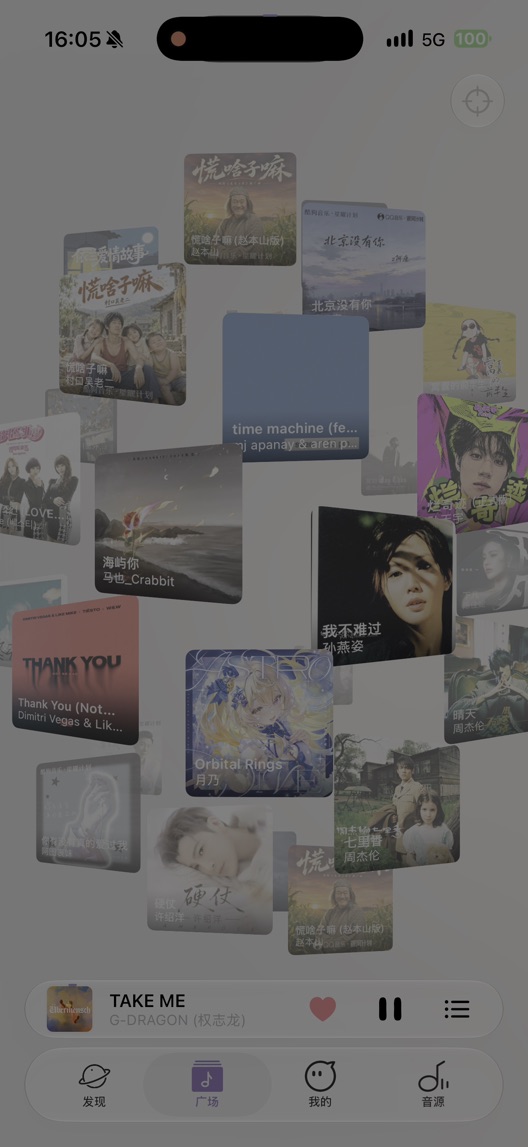
Spatial Album Plaza
Instead of sterile text lists, Plaza lays out your albums across a free-panning spatial canvas inspired by crate-digging in a real record shop:
Key Interactions
- Free 2D Panning: Glide effortlessly in any direction to rediscover albums tucked deep in your library;
- One-Tap Recenter Crosshair: Tap the top-right crosshair control to spring smoothly back to the center cluster;
- Instant Playback: Tap any sleeve to start playback immediately while keeping the floating mini-player docked below.
Listening Reports
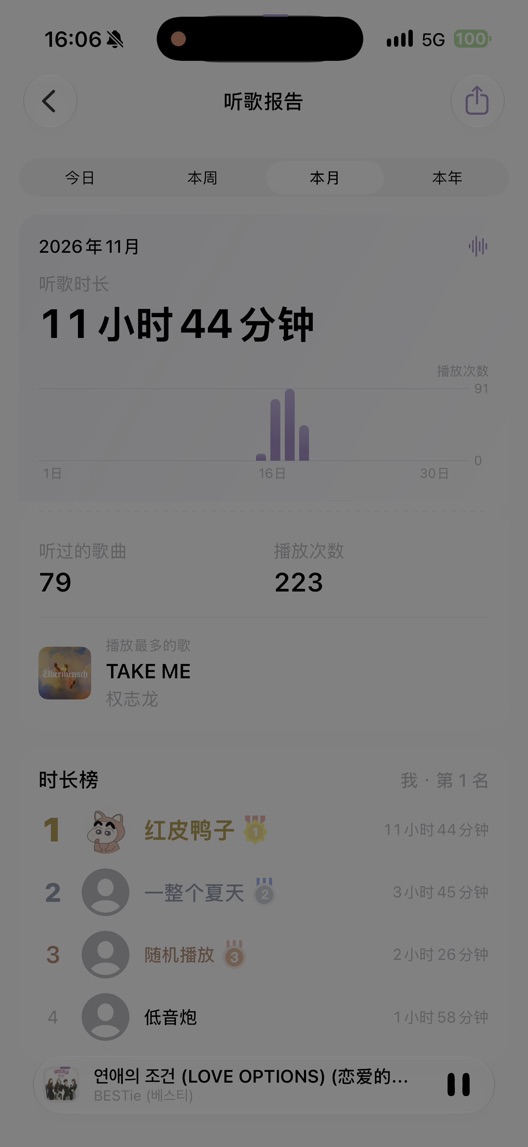
Inside Library → Listening Report, mireo compiles transparent, on-device listening analytics year-round—no need to wait for December:
Included Insights
- Four Time Windows: Switch freely across Today, This Week, This Month, and This Year.
- Listening Hours & Activity Chart: Daily play-count bars show exactly when your listening peaked.
- Library Depth Metrics: Tracks unique songs heard, total play counts, and your #1 most-played track.
- Duration Rankings & Share Card: View duration rankings and tap the top-right share button to export a clean recap image.
Privacy note: Listening history is computed strictly from your local playback log (with optional personal iCloud sync) and is never used for ad profiling.