
Applies to: iOS v1.0 / macOS
Now Playing, Lyrics & Credits
Explore mireo's native playback interface, 5 quick acoustic controls, focused synced lyrics, and full liner note credits.
Native Playback Screen & Acoustic Bar
mireo’s playback screen keeps visual calm front and center while placing every high-frequency acoustic control within thumb’s reach:
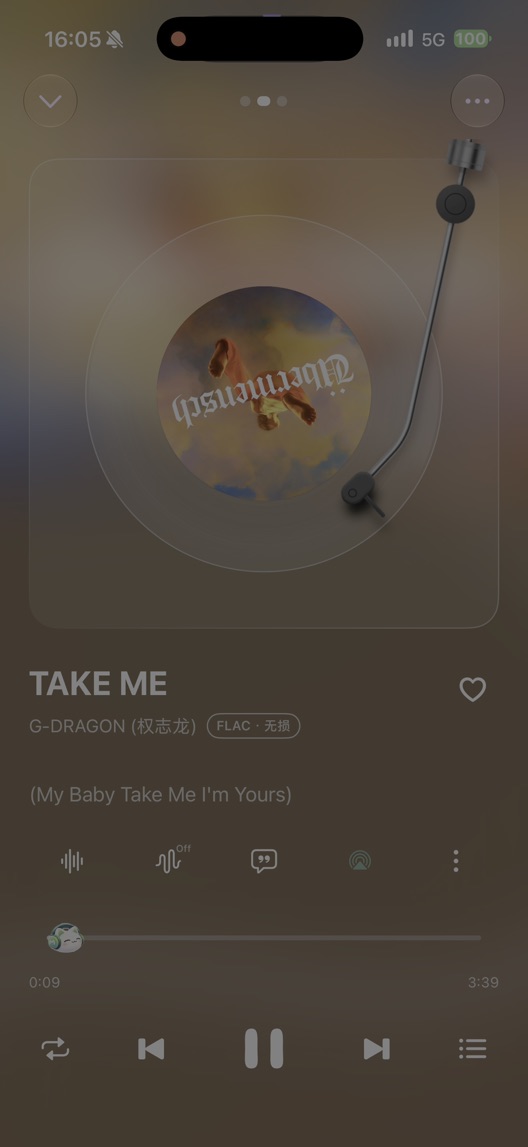
Quick Action Row (Left to Right)
- 10-Band EQ: Tap the waveform glyph to switch between Flat, Vocal Clarity, or custom frequency profiles.
- Spatial / Effects Toggle: Enable or bypass audio effects (
Offrecommended for purist bit-accurate output). - Full-Screen Lyrics: Jump directly to synced lyrics and liner credits.
- AirPlay 2 Routing: Stream lossless audio seamlessly to HomePod, Apple TV, or AirPlay 2 receivers.
- More Actions: Inspect all matched sources for the active track, switch sources manually, view full codec metadata, or pin offline.
Synced Lyrics & Full Liner Credits
Swipe horizontally or tap the lyrics icon to open the full-screen reading view:
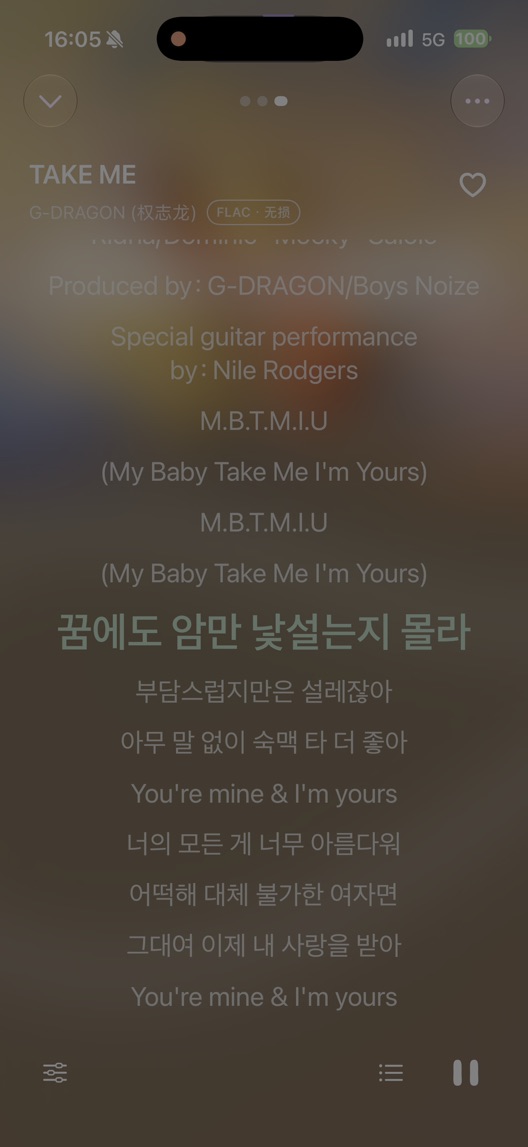
- Focused Line Tracking: Active lines illuminate in signature emerald while surrounding lines gently recede.
- Liner Note Credits: Scroll above the opening verse to view
Produced by,Special guitar performance, mixing, and mastering engineers—bringing physical liner notes back to digital listening. - Tap-to-Seek & Display Settings: Tap any lyric line to seek immediately; tap the bottom-left sliders icon to customize text scale and multilingual lyric display.
Related Guides
- Read Album Plaza & Listening Reports for the spatial cover wall and analytics.
- Read Lossless Audio Engine & EQ for USB-C DAC recommendations.