
Applies to: iOS v1.0 / macOS
Apple Music Authorization
Connect your Apple Music subscription natively via MusicKit to stream your library, playlists, and ALAC lossless audio.
Sources Hub Overview
Switch to the Sources tab at the bottom of mireo to manage Apple Music, local folders, and online extensions from one clear screen:
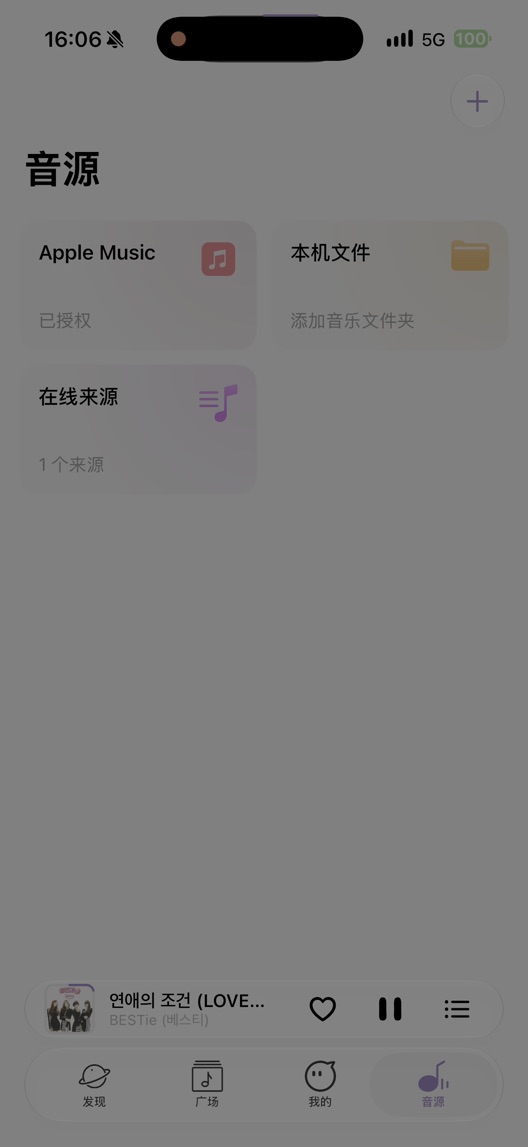
Setup Steps
mireo integrates directly with Apple’s official MusicKit framework, sharing the system’s secure subscription entitlement:
- Open mireo and switch to the Sources tab.
- Tap Apple Music.
- Tap Allow on the iOS system prompt granting media & Apple Music access.
- Once authorized, status updates immediately and your library and playlists index in seconds.
Supported Capabilities
- Library & Playlists: Full access to saved albums, songs, and custom playlists.
- Lossless ALAC: Respects your iOS
Settings → Music → Audio Qualitylossless and Hi-Res preferences. - Unified Queue: Mix Apple Music tracks seamlessly alongside local FLAC files and NAS recordings in the same Up Next queue.
Frequently Asked Questions
Do I need an active Apple Music subscription?
Full-length playback via MusicKit requires an active Apple Music plan on your Apple ID. Without one, Apple limits playback to 30-second previews—though mireo’s local folders and WebDAV features remain fully usable.
How can I revoke access?
At any time, open iOS Settings → Privacy & Security → Media & Apple Music and toggle off mireo.